When managing AWS infrastructure, it’s often crucial to have a clear overview of all IP addresses and endpoints within your Virtual Private Cloud (VPC). With literally just one simple prompt, Cursor created a helpful bash script that provides a comprehensive view of all network-related resources in a VPC.
This is great to test out CloudFront CDN integration with WordPress on AWS. Bunch of other scripts I found required owning a domain name and other inputs. This is just a simple script to get you started. Just simply run “terraform init” and “terraform apply” and you’re good to go!
Before running the script, the only three things you need to provide are:
AWS Access Key
AWS Secret Key
Key Pair Name
All the other variables are optional and you can change them to your liking.
My team is building an application that needs to scale to 10,000s of users – but not millions. Accordingly, we can’t necessarily follow SaaS models/best practices meant for scaling to millions of users as that would be overkill and not cost efficient.
One architecture we came up with involves compute in one region with serverless RDS databases deployed in different regions due to data residency/compliance requirements. Of course, generally, you never want applications to be too far away from their databases – definitely not continents apart! But that’s part of our literal requirement.
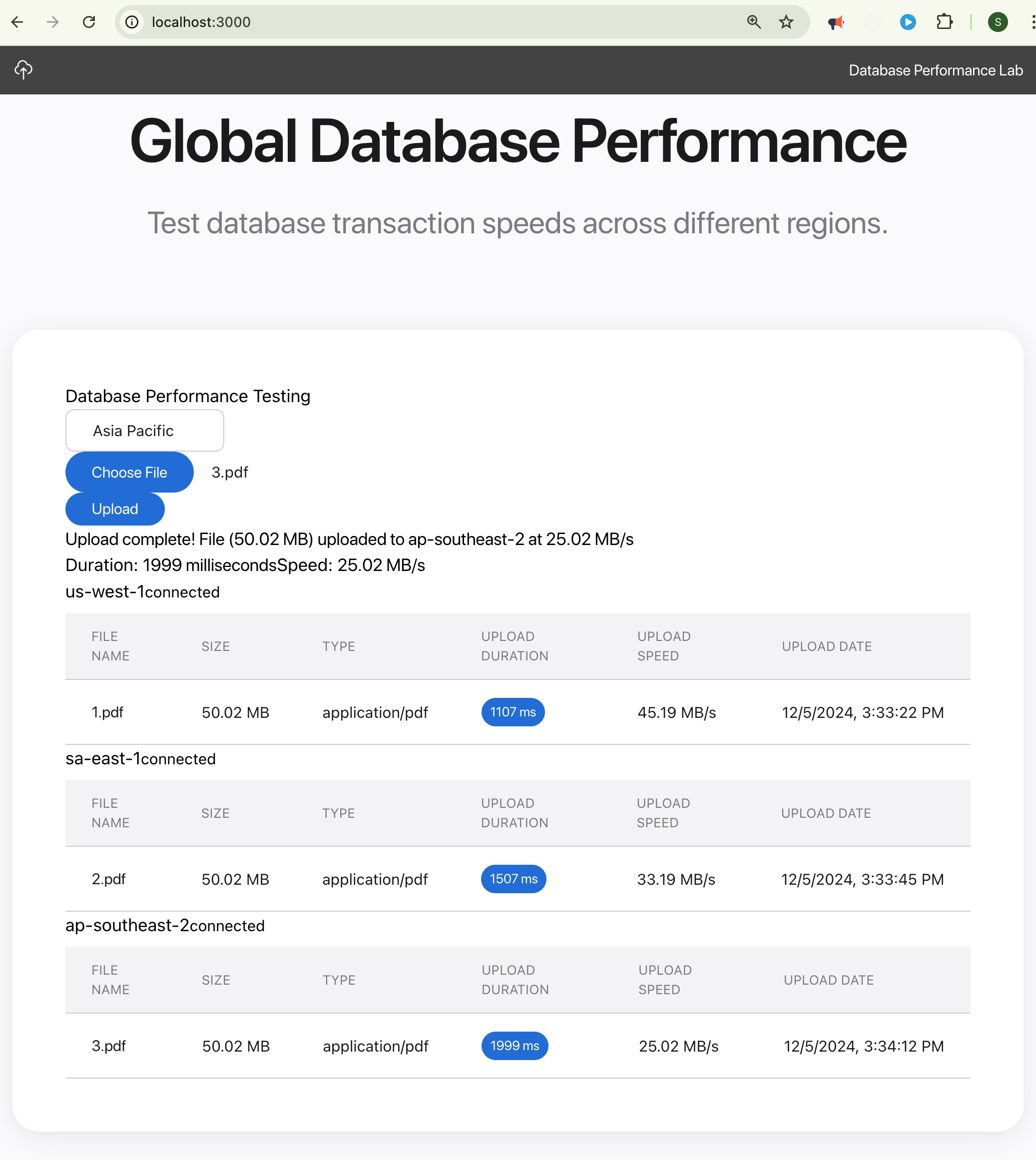
So to test to make sure our application will be able to have adequate database performance even with databases deployed literally in other continents, I built the Global DB Performance Tester using Cursor AI



 Salman Abbas Naqvi - 2xCCIE