
Figma is an awesome tool for creating diagrams, designs, real-time collaboration, whiteboarding, and so much more. For any cloud engineers new to Figma, here is a quick way to get started.

I am assuming your team is already using Figma. To make Cloud related diagrams, simply click on the tools section near the bottom right:
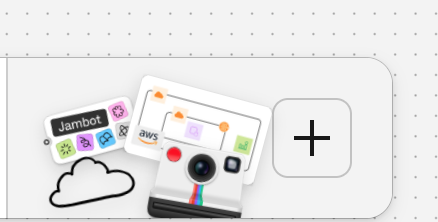
Type in “Cloud” and you’ll see a bunch of templates:

Simply choose the template for the cloud provider you want to create diagrams for and then you’ll be presented with a screen like this:

Now, simply, drag and drop, copy/paste and connect your way through the architecture diagram you want to create. Basically from this point onwards, it’s not much different than Draw.IO, LucidChart, Visio, etc. All of these other tools definitely give you much more control, but, obviously, they don’t have the same kind of other awesome features Figma has.
Enjoy!
 Salman Abbas Naqvi - 2xCCIE
Leave a comment